
For the last 3 decades, web accessibility has been a gray area: mandated by law under the ADA but not explicitly defined for the web. Organizations might pay lip service to inclusion without any specifications. That era is over.
In April 2024, the Department of Justice released a final rule under Title II of the ADA, which made the calculus permanent. The federal law is the first to define the meaning of access to digital content: WCAG 2.1 Level AA. The rule applies to websites, mobile applications, and digital services provided by state and local governments, and its ripple effects reach well beyond government walls. It is now mandatory for your organization to comply if it provides public services.
The rule released on April 24, 2024, establishes a definite technical standard: the Web Content Accessibility Guidelines version 2.1 Level AA by the W3C. This is precisely what should be accessible digital content. This alters the terrain. In the past, Title II organizations lacked a clear technical standard for their legal requirements. Compliance is now in line with WCAG 2.1 AA. This clearly defined line can be enforced by the DOJ.
In April 2026, the DOJ published an Interim Final Rule that would extend the compliance dates by 1 year. The existing deadlines are:
The extension is not an indication of soft enforcement. Significant remediation is a long process. The additional year to buy time is an expensive error.
The rule specifically refers to state and local governmental entities: state agencies, county and city governments, and public schools, public universities, libraries, utilities, and any other instrumentality of government. All departments, all digital contacts, irrespective of the population served.
Conformity does not end at government doorsteps. The regulation applies to web-based materials issued by a government agency, whether directly or through licensing, contract, or otherwise. When a government uses a third-party portal or licenses a platform, it is responsible for making it accessible.
The practical is even further. Not only nonprofits that receive government funding, vendors of digital tools to government clients, and other organizations that have government contracts, but also now have to operate in a world where accessibility is both a contractual and business imperative rather than a statement of values. Organizations that hold on to determine whether the rule technically applies to them are putting themselves at greater risk than those who prepare in advance.
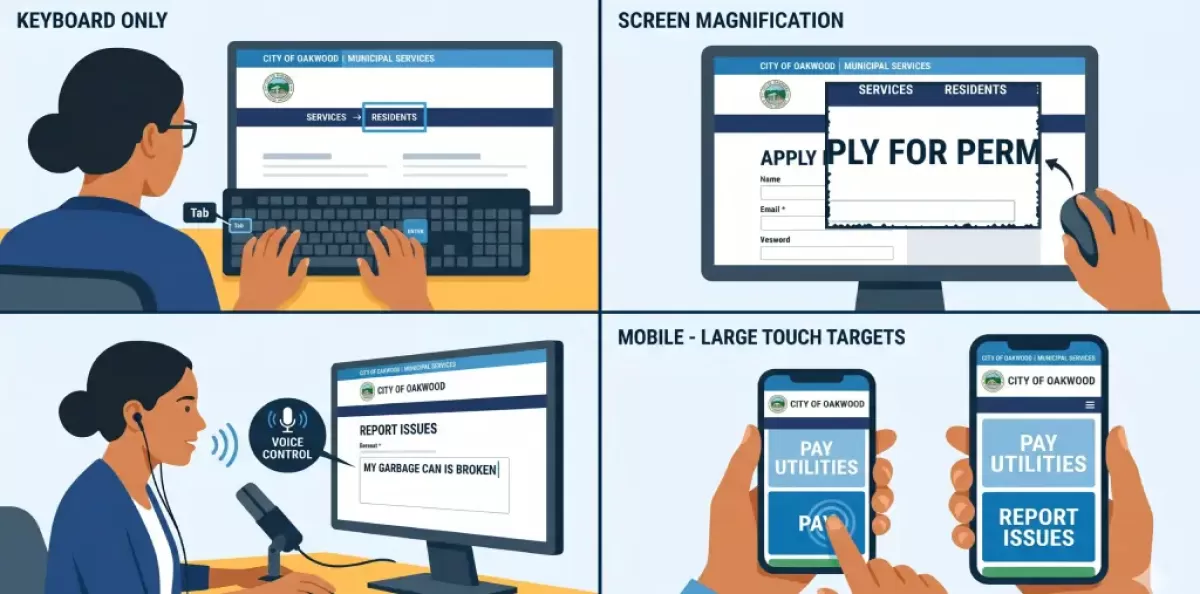
WCAG 2.1 AA is based on four principles commonly abbreviated POUR. All the success criteria in the standard are based on one of the following:
Perceivable: The users should be able to view your content across a variety of channels. This implies alternative text for the image, captions for the video, a transcript for the audio, and sufficient color contrast between the text and the background. Content cannot rely on a single sense.
Operable: The user should be able to navigate and use your site without a mouse. It would entail full keyboard access, visible focus cues during user navigation between elements, skip-to-content links, and ample time to accomplish tasks. When a person cannot fill out a form with their keyboard, your site is not operational.
Makes sense: Content and navigation must be predictable, clear, and consistent. Error messages should determine the cause of the error and how to correct it. The instructions should be in simple language. Page designs must include a hierarchy of headings. A user does not need to guess how your navigation functions.
Stable: Your site should be compatible with browsers and devices, assistive technology (screen readers, voice control software, and magnification devices), and any other accessibility options. The code structure upon which people depend to access digital content should not be opposed by the underlying one.
WCAG 2.1 introduced new requirements beyond the prior 2.0 standard, e.g., low-vision requirements (text spacing and orientation), mobile requirements (touch targets and pointer gesture avoidance), and cognitive requirements for predictable interface behavior. These are not fringe features but ways real people use the web in 2026.
Properly constructed websites do not pass accessibility tests. Accessibility problems are often overlooked by most QA teams, as they do not frequently test with assistive technology. Even smooth sites may put a real barrier to persons with disabilities.
The most common failure points:
Automated testing catches only 30–40% of WCAG issues. Manual review, using assistive technology, is needed to identify the rest. Relying on automated tools alone is insufficient.

The risk of law is actual and growing. Lawsuits over ADA-related websites have been increasing each year. The DOJ has a record of enforcement actions against cities, counties, and public universities, and the 2024 rule provides them with a much stronger foundation to act. Failure to comply with the relevant deadline will expose you to enforcement actions by the DOJ, consent orders, civil actions, and personal lawsuits, which can involve attorney fees and, in some cases, monetary damages.
However, legal risk is not the only worry. More than 25 percent of U.S. adults report having some form of disability, including visual, hearing, motor, or cognitive differences. Inaccessible digital services are more than a compliance failure; they functionally exclude a significant segment of the population from the services they should be able to access.
Everyone benefits from accessibility. Guidelines enhance search ranking. Keyboard navigation aids power and mobile users. There is high color contrast, which aids readability. Captions can support individuals in noisy environments, language learners, and readers. Accessibility also tends to boost conversion rates and decrease bounce rates.
For organizations that rely on government funding, Grantmakers and federal partners are more demanding of demonstrated accessibility as a qualifying factor. The approach of treating accessibility as a cost center overlooks the fact that inaccessibility incurs costs, legal liability, reputation loss, and user loss, which are rarely budgeted for until they strike.
Step 1: Be aware of your exposure. Begin by learning your position in your organization. Are you a legal person? Are you government-funded? Do you offer digital services to government customers? Are you older than three years old? Any 'yes' response should result in a formal accessibility assessment. Do not rely on your judgment to determine whether your site is accessible; the most concerning issues cannot be detected without appropriate testing tools and methodologies.
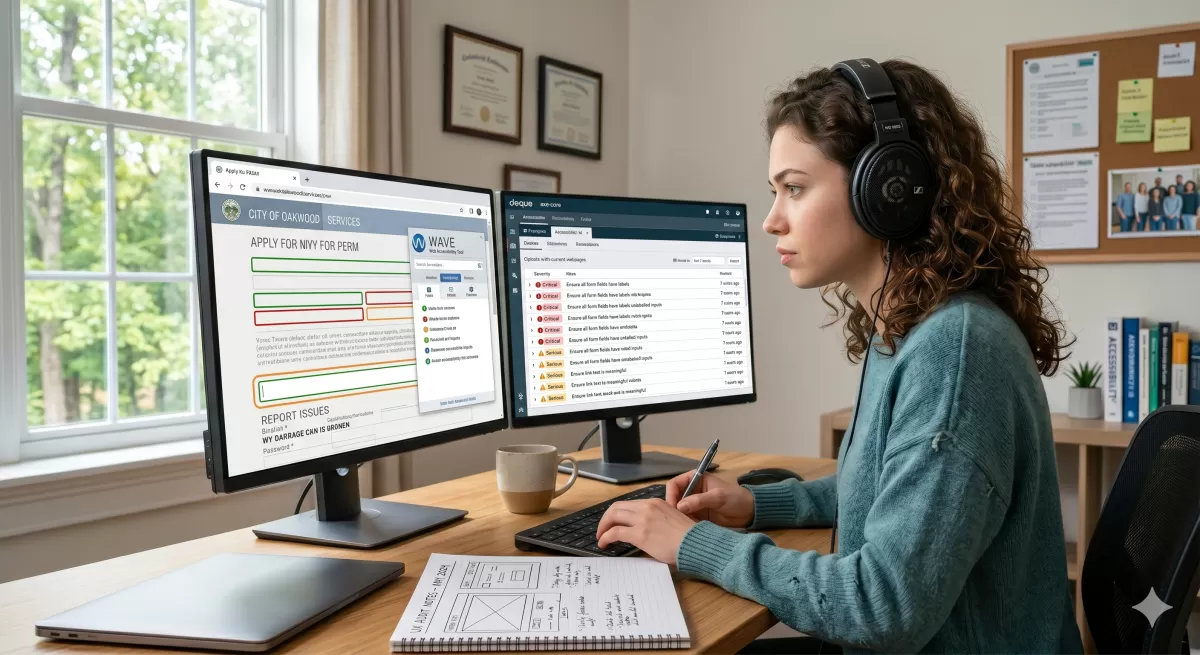
Step 2: Real audit. An actual audit is a combination of automated scanning, expert manual examination, and assistive technology testing. The output must provide you with a list of prioritized issues with severity rankings, not a pass/fail value. You must know which of them is a complete blocker and which is a friction maker, and a realistic approximation of the remediation work. The right audit will inform you whether a targeted fix campaign or a more substantial platform issue is needed.
Step 3: Fix vs. rebuild choice. Remediation of some websites can bring them into compliance with WCAG 2.1 Level A without altering their architecture. Still others operate on systems that are structurally incapable of meeting the standard, or the cost of retrofit exceeds the cost of replacement. Getting this decision right early saves money and time. It is not a rebuild just to rebuild it, but to arrive at the correct technical end result via the most effective means.
Step 4: Construct continuing governance. Being accessible does not happen as a project but as a journey. New content brings new issues. The changes in staff imply new individuals who develop content and may be unfamiliar with the standards. Tools that influence your site's behavior are updated by the vendors. Content publishing standard, alt text practices, PDF production procedures, staff training, and regular re-testing have become part of the standard operations to ensure compliance. Those organizations that take the compliance deadline as a finishing line will be back on the starting line in a few months.

The subject of accessibility compliance is now a quantifiable, verifiable, enforceable federal standard with strict deadlines. The fact that it is too costly or too technical is not very convincing against the other option, the increased legal risk, the fact that a quarter of the population is being locked out of public services, and the costs of emergency cleanup when the time has passed.
The long compliance dates provide organizations with more runway, yet qualified accessibility vendors are in high demand. Early involvement of partners by organizations ensures the work is completed on time and within capacity. Waiters are also likely to pay crisis rates to have hasty remediation that is not permanent.
The technical standard is definite. The deadlines are determined. The question for any organization that operates in the digital public sphere is merely how it wants to arrive there: proactively, planned, and with enough time to do it right, or reactively, in a crisis, when someone has made a complaint.
Accessibility isn't a checkbox. It is the state of affairs in which your digital services are effective for those who need them most.
